An AI driving real phones. Plug it in. Walk away.
Connect a real iPhone or Android over USB. Hand SF Dynamo a Linear ticket. The agent taps, swipes, types — across your app, your website, your real browsers — and hands back screenshots, video, logs, and a verdict. Your QA engineer doesn't sleep anymore.
Watch the agent work — or step in any time.
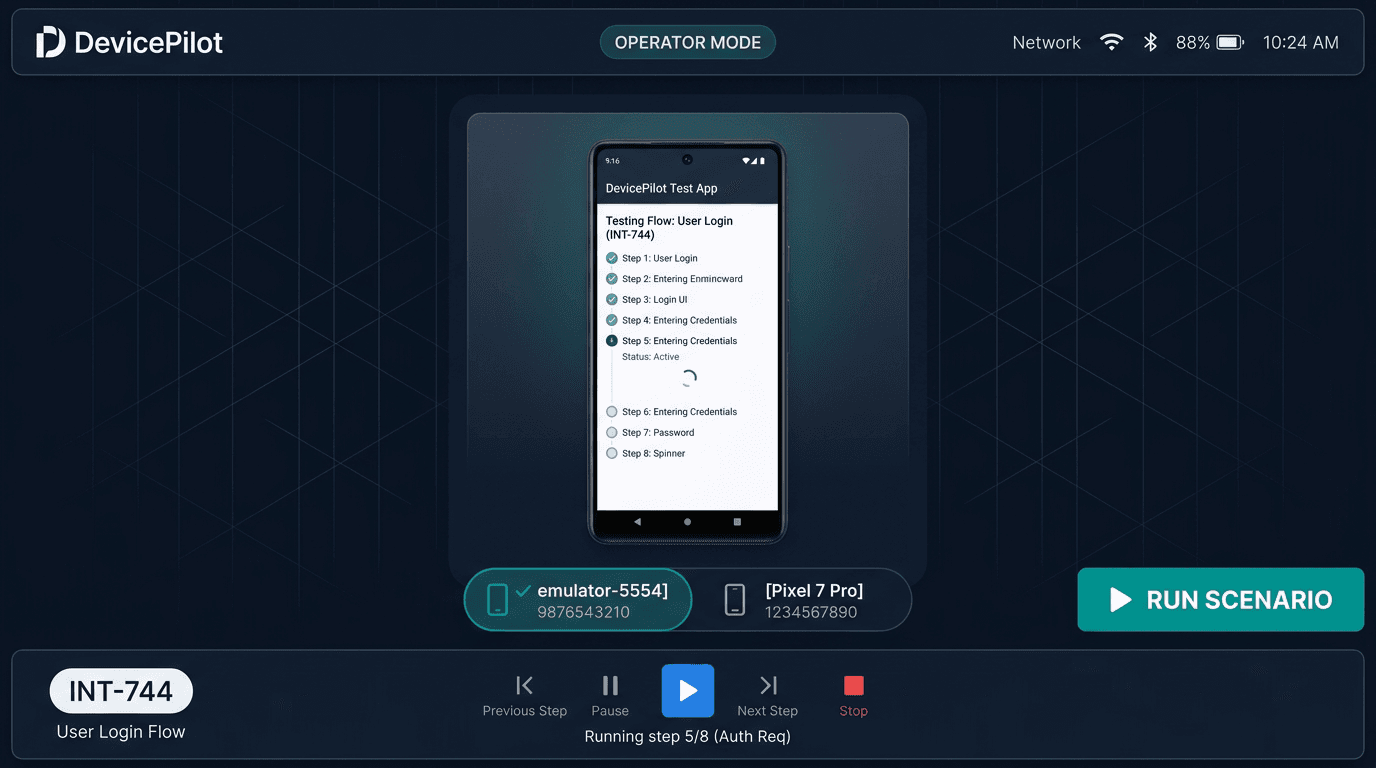
Operator Mode is your driver's seat. Stream a single device, see the AI's every tap and gesture overlaid in real time, monitor the test step list, and cut in with a manual control whenever you want. The Linear issue title is right there in the bottom bar. Run, pause, retake — like air traffic control for one craft.
One ticket. Every device. At once.
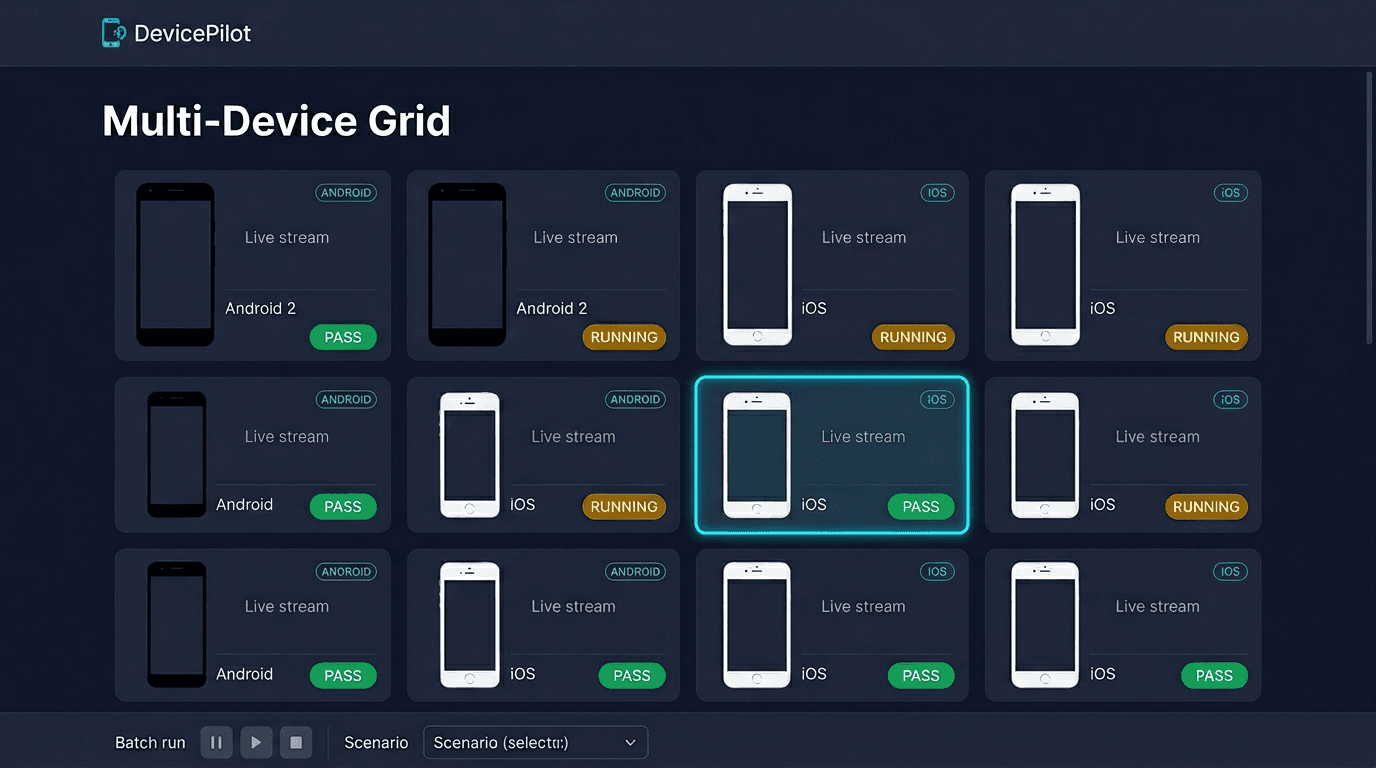
Switch to the grid and watch the agent run the same scenario across your whole fleet — iPhones, Pixels, Galaxies, browsers — in parallel. Pass / fail / running badges across the board. The flaky device stands out before you even click in.
A verdict you can show to your CTO.
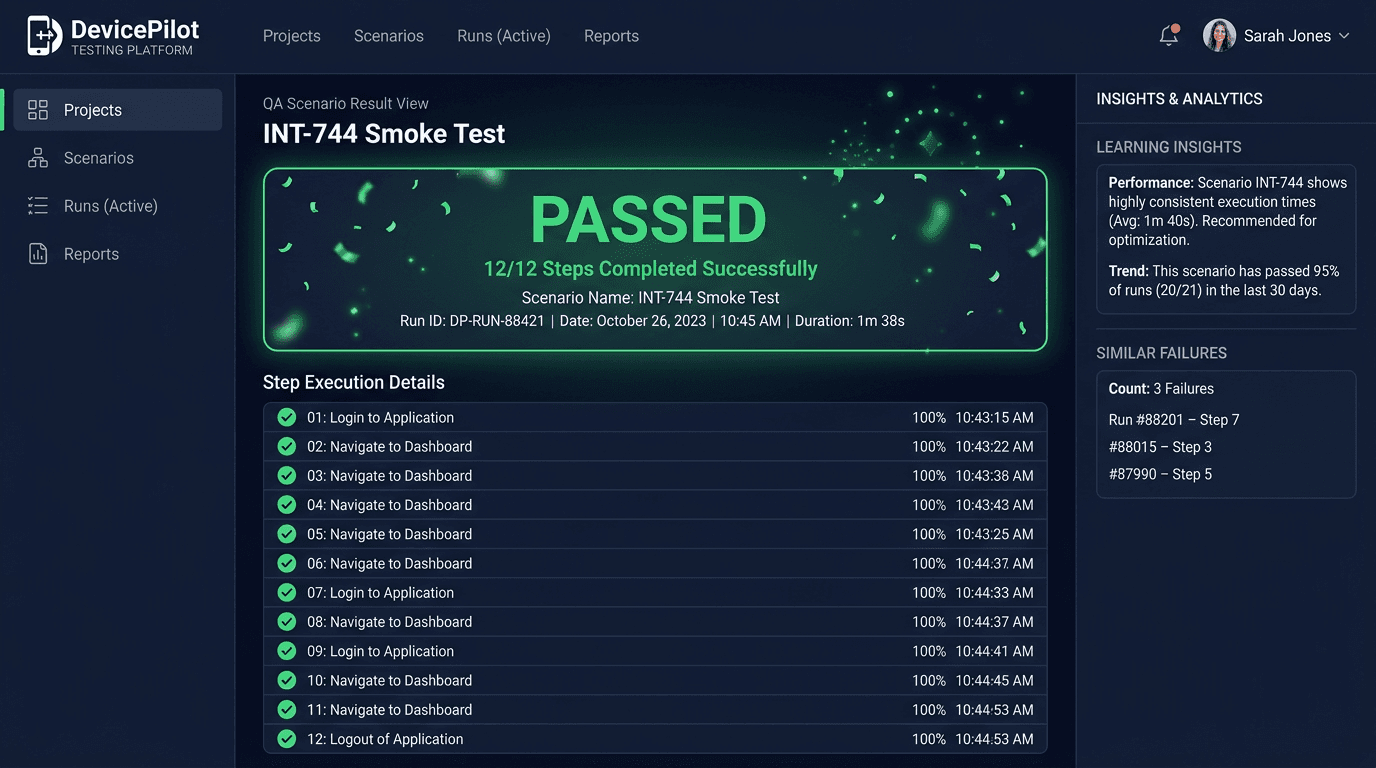
Every run produces an artifact. PASS or FAIL. Step list with timing. Screenshots at every state. Console logs, network HARs, video. AI-surfaced 'similar failures' so you can see if it's a regression or a new break. The Insights panel surfaces patterns across runs — what's slowing down, what's getting flakier, what's recovered.
Multi-tenant from day one.
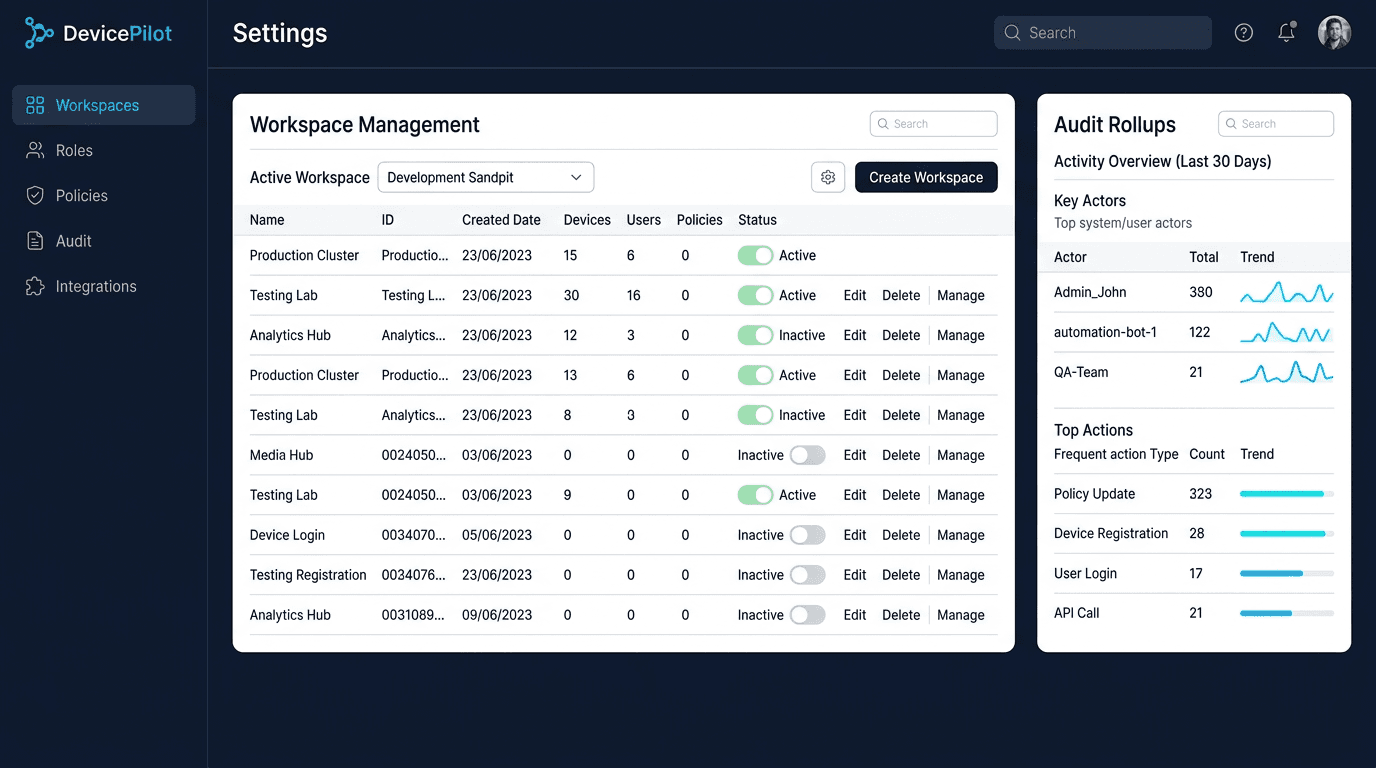
Workspaces, roles, policies, audit logs — already wired. Bring in a customer, contractor, or auditor with the right scope. Every command is logged. Your enterprise compliance team can audit the entire run history without bothering you.
Linear ticket → script → run → defect filed.
Drop a Linear issue describing 'the thing should work like this.' Dynamo's LLM drafts a YAML scenario from the description, runs it on your build, and — if it fails — files a defect back to the same ticket with screenshots, the failing step, and a proposed fix. The QA loop closes without you writing a single selector.
App-store screenshots, on demand.
Need iOS portrait, Android tablet, and dark-mode versions of every key screen for the next release? Hand Dynamo a script. It walks the app on each device size, captures every state, drops the assets in /marketing-assets/. The intern you didn't hire for tedious QA. Or for tedious marketing. Both.
SF Dynamo works with the rest.
The reason Speedforge isn't just five tools sitting next to each other.
SF Hopper
Hopper launches the device fleet and pins Dynamo runs in your taskbar.
SF Threads
Threads' build plan auto-creates Dynamo's test scenarios.
SF Braids
Braids hands its tested code to Dynamo for the final real-device verification.
SF Focus
Focus routes Dynamo verdicts to whichever machine you happen to be on.